Headless WordPress: What It Is and When the Extra Work Pays Off
Written by Evren BalPublished Updated · 7 min read

💡 Summary (TL;DR):
- What is it? WordPress manages the content, while a separate frontend application retrieves it through REST or GraphQL and renders what visitors see.
- When does it fit? When the same content serves multiple channels, the frontend needs application-level behaviour or independent releases, and the team can own two systems.
- What does it cost? Performance and security are not automatic. Theme-layer plugins, previews, redirects, metadata, forms, and content revalidation need explicit implementation.
Headless WordPress keeps WordPress as the content backend while a separate frontend application renders what visitors see. It can be the right architecture when content needs to reach multiple products, the public experience behaves more like an application, or the frontend must be released independently. It is rarely justified as a default performance upgrade for a blog or a straightforward corporate website.
Traditional WordPress already combines a mature CMS, theme system, and plugin ecosystem in one deployment. That integration is its main advantage. Going headless makes sense only when a project's delivery requirements outweigh the value of what WordPress already provides automatically.
What is Headless WordPress?
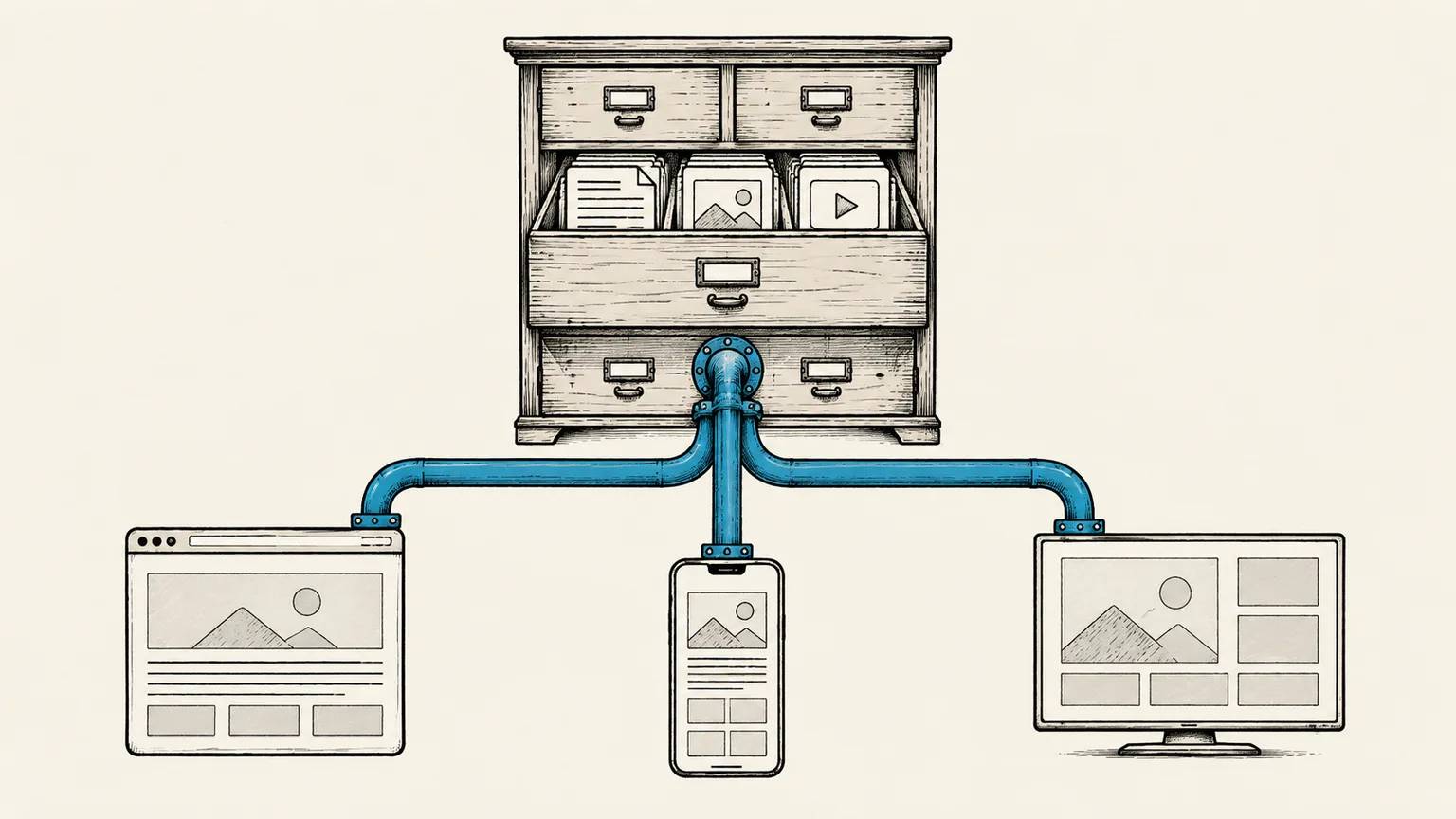
A CMS architecture that separates content management from presentation is generally called a Headless CMS. In Headless WordPress, the admin panel, content, users, and media stay in WordPress. The content is exposed through the built-in REST API or a GraphQL plugin, and a separate frontend owns the routing and rendering. The WordPress REST API documentation describes the same interface as a way to bring WordPress content into custom frontends and other applications.
Why Headless WordPress?
Pros of Headless WordPress
Headless WordPress comes with the following benefits:
- If a custom design is being built rather than using a pre-made theme, your frontend team can focus on client-side development without needing any knowledge of Custom WordPress Theme Development or WordPress backend structures. You can choose any technology stack for your frontend, and even use different stacks for different target devices.
- It removes the tight coupling between the frontend and the backend. You can consume data from multiple sources, including one or more WordPress backends, within a single frontend application.
- Since the frontend and backend are decoupled, they can be scaled independently.
- You can feed different channels from a single source. Your website, mobile application, or other client platforms can all consume the same API.
Comparison: Traditional WordPress vs. Headless WordPress
| Feature | Traditional WordPress | Headless WordPress |
|---|---|---|
| Development Speed | Fast when themes and plugins match the requirement | More initial work because the frontend and integrations are custom |
| Page Loading Speed | Can be fast with a lean theme and effective caching | Can be fast with SSG, SSR, and CDN caching, but depends on implementation |
| Design Flexibility | Works within the theme, block, and plugin ecosystem | Gives the frontend team more control, with the cost of owning that code |
| Security | One application surface that still needs theme, plugin, and server hardening | Can reduce public WordPress exposure, but adds APIs, frontend dependencies, tokens, and deployment surfaces |
| Omnichannel Support | Possible through APIs and integrations | Naturally supports multiple clients consuming the same content API |
When is Headless WordPress Not Suitable?
Cons of Headless WordPress
Headless WordPress can be a more expensive solution in terms of both budget and time. But why?
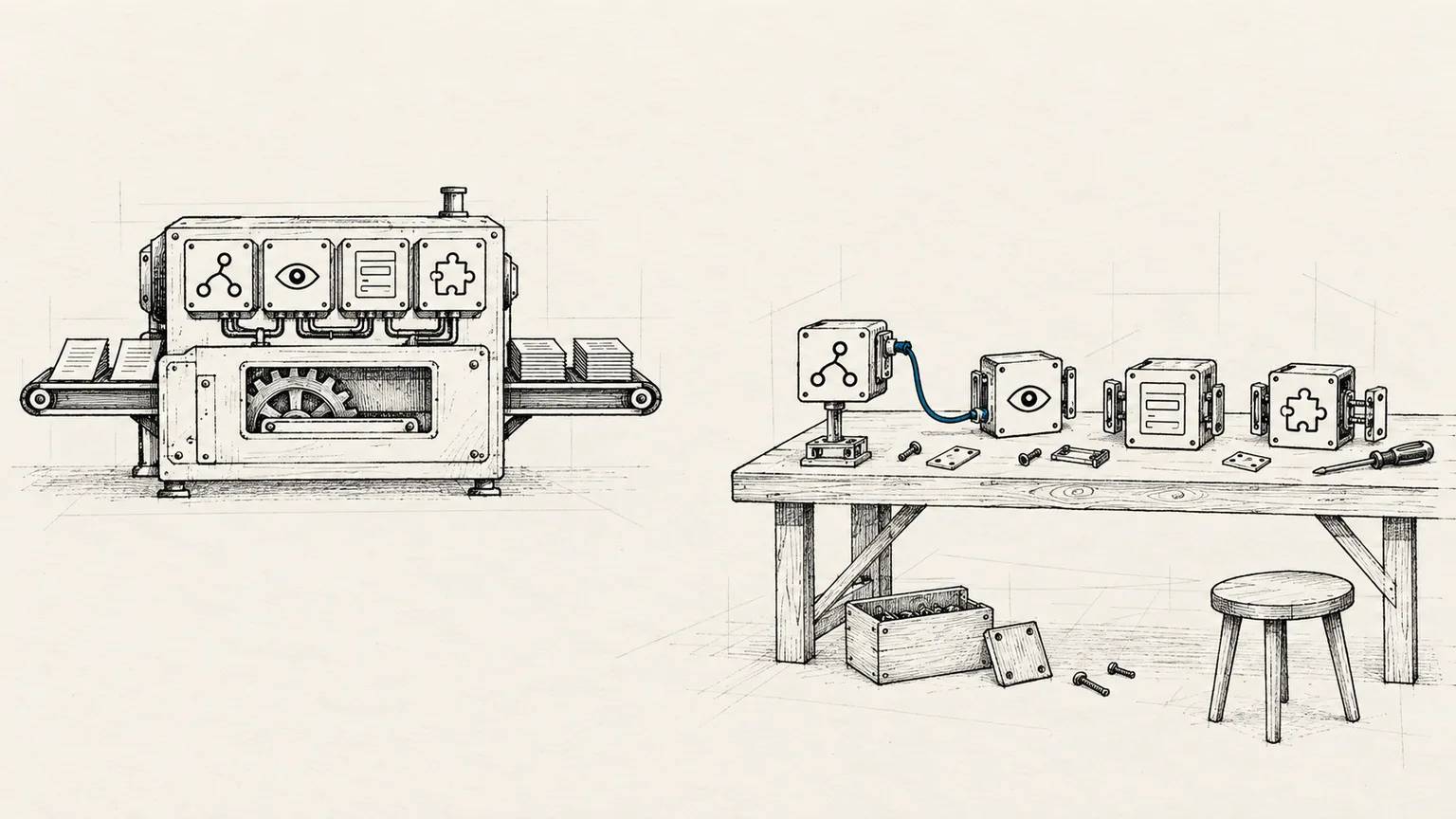
- A classic WordPress setup gives you out-of-the-box support for plugins, themes, and core site management features. A headless WordPress architecture, on the other hand, requires a dedicated frontend development effort. The backend also requires a developer or team experienced in headless configurations and building custom REST/GraphQL integrations.
- You may need to manage separate server infrastructures for the backend and frontend. While small setups can use a single server, you should think twice about whether you really need a headless setup for a basic website.
- WordPress plugins do not all behave the same way in a headless setup. Plugins that manage data in the backend can continue to work when their data is available through the API. Plugins that inject markup or scripts through the theme layer, provide visual page building, or assume WordPress renders the public page need custom frontend integration. The ACF headless WordPress guide explains this distinction in more detail.
What Headless Developers Need to Know
When I first transitioned my website away from traditional WordPress, I built it using a headless WordPress architecture. The backend was a standard WordPress instance serving data over GraphQL, and the frontend was built using Next.js (React.js). (Note: The current version of this website has since been migrated to a fully static Nuxt.js setup).
While a similar WordPress site could have been completed in 3-4 days using a classic theme approach, building that initial headless setup took more than a month. Below are some of the tasks I had to manage manually instead of relying on the theme and plugin layer:
- I implemented a GraphQL-based API because I found the standard REST API more cumbersome to work with for complex schemas.
- Managing custom post types, custom fields, and multi-language support is straightforward in classic WordPress. In a headless setup, you have to query them individually and map the relationships manually on the frontend.
E.g. Installing Yoast SEO is not enough. You must fetch the metadata via the API and render the appropriate tags in your frontend document head yourself. - Code or scripts that a plugin normally injects through the WordPress theme will not appear automatically in the separate frontend. You must expose the required data and render the corresponding output yourself.
- You need to write custom routing logic on the frontend to handle redirects, which you would otherwise manage effortlessly using Yoast's redirect feature or the Redirection plugin. Since the frontend application receives the visitor, it must handle the redirect logic, requiring coordinated code on both the frontend and backend.
- While the Redirection plugin captures and logs 404s automatically in a classic setup, you now have to write code to catch these errors on the frontend and trigger log creation requests on the backend.
- Form submissions, normally handled by simple plugins, become more complex. If you want forms to be managed dynamically from the backend rather than hard-coding them, you must write custom logic to fetch, render, validate, and submit form payloads.
- WordPress preview no longer represents the public frontend by default. Previewing drafts requires an authenticated route between WordPress and the frontend, plus a reliable way to render unpublished content.
- If the frontend prebuilds or caches pages, publishing in WordPress does not guarantee that visitors see the update immediately. You need a webhook or revalidation flow and a way to notice when it fails.
- You can no longer just install a plugin and expect it to work immediately. If a plugin's functionality is essential, you will likely need to write custom integration code on both ends. In some cases, it may even make more sense to write the feature from scratch.
Even though there were moments when I regretted making the headless transition, I worked through the challenges because I enjoy learning new concepts and overcoming development obstacles.
Ultimately, Headless WordPress is more complexity than a personal blog or a simple corporate website usually needs. It becomes worth evaluating when the same content must serve several products or channels, the frontend needs application-level behaviour or independent releases, a measured rendering or scaling constraint exists, and the team can maintain both systems. High traffic or e-commerce alone is not enough. Headless commerce also brings cart state, checkout, session, and extension integration into the custom frontend.
Headless WordPress Development
My experience was full-stack, meaning I developed both the WordPress backend API and the Next.js frontend code. It was a challenging but rewarding process. I plan to write separate articles covering the implementation steps for many of these features. Those guides will only be a starting point. You will still need to do plenty of research and hands-on experimentation.
I look forward to welcoming you back in the next articles of this series.
Sources
If this article was useful
Linking to it from a relevant page on your website or sharing it on social media genuinely helps it reach more people. Thank you for your support.
Linking and brand guidelines →